STEAM
STEAM ORIGIN
 UPLAY
UPLAY PC
PC Daily Deals
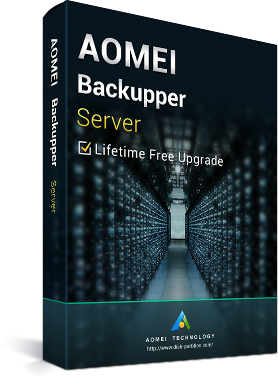
AOMEI Backupper Server Latest Version + Free Lifetime Upgrades Key Global
120.77EUR
199.00EUR
















 -85%
-85% -89%
-89% -37%
-37% -38%
-38%AOMEI Backupper Server - The Easiest Backup and Disaster Recovery Solution for Servers
Pick AOMEI Backupper Server to Backup Your Physical and Virtual Server Machines
AOMEI Backupper Server, especially designed for small and medium sized business, is not only data protection & disaster recovery solutions, but also disk partition cloning software. With simple and easy-to-use interface, anyone even non-technical users can protect all of critical business data in minutes without having to be an expert. Besides, our stable and robust server backup software is able to backup your physical and virtual server without interrupting or shutting down Win and other running applications.
"Lifetime Free Upgrades" is a maintenance agreement which enables you to FREE get every version of the software that comes out after you buy. No need to pay an additional fee for later upgrades.
Ensure Business Continuity - back up everything automatically or manually before system fails.
Minimize Server Downtime - selective restoration and WINPE bootable recovery environment.
Disk Storage Management - automatically clean up, and incremental & differential backups.
Universal Restore - restore backup images to dissimilar hardware with ease.
All Win OS Platform - support Win Server 2003, 2008, 2012 (including R2), SBS 2003, 2008, 2011 and Win PC systems.
Added features from previous version:
Added event-triggered scheduling backups: automatically perform backup tasks in real-time based on user logon, user logoff.
system startup and system shutdown.
Support to run one time only everyday when setting up the event-triggered scheduling backups.
Support to perform scheduled backup tasks whether Win account is logged on or not.
Support to choose a network mapped drive as the destination.
Support to simultaneously choose multiple files on the network drive as the backup source.
Support to prevent computer from going to sleep during the backup process.
Support to automatically invoke the tray notification icon to show backup or sync progress if users close the main window, and then continue to perform backup or sync task in the background.
Optimized the characters of share information to unlock "System Clone" function in the Standard Edition.
Optimized email forms: send email notification via Text or Html.
Optimized the email notification sending modes: provide Hotmail server, Gmail server, AOMEI server [paid] and custom server [paid] SMTP modes.
Optimized the solution to the destination path is too long when performing file backup and file sync.
Enhanced the stability to connect the Share/NAS.
Fixed issue: display error code 4107 when checking the image file after backing up to Share/NAS.
Fixed issue: "Failed to enable VSS......" during the backup process.
Fixed issue: the virtual partition is not accessible caused by access permission when exploring an image file.
Other Features:
Backup - easily protect your server all the time, both system and data
System Backup Schedule Backup Disk Backup
Partition Backup: Backup specialized partitions that store your import information in case of disk failure.
Files Backup: Specify which files or folders to backup, supporting to customize folders backup with filters.
File Sync: Synchronize files and folders automatically with a schedule to keep data up-to-date.
Incremental & Differential Backups: Only back up data that changes made to save time and disk space.
Command Line Backup: Create backups from command prompt or batch scripts for unattended and multi-processing tasks.
Backup Disk Space Management: Automatically delete the old backup images based on specified value.
Hot Backup: A technology enables to take a backup without interrupting or shutting down Win and other running
applications.Where can you store your backup images?
You can save the image files on:
* Local disk
* External hard
* Drive/removable hard drive
* USB flash drive,
* PenDrive,
* ThumbDrive,
* SanDisk, etc.
* CD/DVD/Disc
* NAS/network, etc.
Restore back everything you ever backed up in minutes
System Restore Disk Restore Universal Restore
Partition Restore: Partition recovery helps you rebuild partitions crashed due to wrong operations, etc.
File Restore: Restore backed-up versions of files & folders which are lost, damaged, or changed accidentally.
Command Line Restore: Perform system restore, disk restore, universal restore and more from command prompt.
Selective File Restore: Just recover individual files that you need without restoring the entire image.
Automatic Partition Alignment Restore: Optimize the performance of storage, especially for SSD after restoration.
Bootable Recovery Environment: Recover servers whose system crash or damaged based on Win PE.
Clone - create an exact duplication of your system, partition and hard disk
Disk Clone System Clone Partition Clone
Command Line Clone: Perform system clone, disk clone, partition clone from command prompt.
Clone with Resizing: Adjust the size of partitions to fit the new destination location while cloning.
Automatic Partition Alignment Clone: Optimize the performance of storage, especially for SSD after clone.
Sector by Sector Clone: Clone all sectors (both used sectors and unused sectors) to destination disk.
Hot Clone: A technology enables to clone system/disk without interrupting or shutting down Win and other running applications.
Utilities-for better data protection and disaster
recovery management
PXE Boot Tool: Start up multiple client machines within LAN through the network booting.
Create Bootable Media: Make Win PE & Linux bootable CD/DVD or USB flash drive.
Explore Image: Mount image as a virtual partition to browse the contents in Win Explorer.
Compress Backup: Set compression level to increase backup efficiency or reduce storage space.
Encrypt Backup: Protect image file from unauthorized access with a password.
Split Backup: Divide a large image file into multiple smaller ones, or split to fit for fixed length media.
Check Image: Verify data integrity of image file to ensure it can be restored successfully.
Comment Backup: Add a comment for backup image so that it can be identified easily.
Merge Images: Combine full backup and its chained incremental backups into a single backup.
Notifications: Send backup completion status to your email with AOMEI or your own SMTP server.
Edit Backup: Edit task name and change the saved directory of backup images.
View Logs: View what operations the program has done and record the events that occur during a backup.
Export/Import Tasks: Export or import all backup tasks in an XML file.
Intelligent Sector: Choose to only backup used sector or backup all sector whether used or not.
VSS: Integrate with MS Volume Snapshot Service to back up files that are in use.
AOMEI Backupper Server Requirements
Operating Systems
Win Server 2012 (R2) / 2008 (R2) / 2003
Win SBS 2003 / 2008 / 2011
Win 10 / 8.1 / 8 / 7 / Vista / XP
All editions, both 32 & 64 bit
File Systems
NTFS
FAT32/FAT16
exFAT/ReFS *
Ext2/Ext3/Ext4 *
Other file systems *
* Display as RAW partition and perform a sector-by-sector backup mode.
Storage Devices
All devices recognized by Win, such as IDE, SATA, iSCSI, SCSI disk, IEEE1394 (Firewire).
Traditional hard disk drive (HDD), solid-state drives (SSD) and SSHD.
External hard drives (USB 1.0/2.0/3.0), PC card, All removable flash drives and thumb drives.
Backup data to disc, such as CD-R/RW, DVD-R/RW, DVD+R/RW, BD-R.
Hardware RAID, including RAID 0, RAID 1, RAID 5, RAID 10, etc.
Network-Attached Storage (NAS) and Shared Network.
Hyper-V, Virtual box, VMware virtual disk and other virtual systems.
Supported Disk Styles and Types
Master Boot Record (MBR) Disk
GUID Partition Table (GPT) Disk
Compatible with GPT/UEFI Boot
Compatible with Dynamic Disk Volumes